> ## Documentation Index
> Fetch the complete documentation index at: https://bruno-a6972042-mintlify-53b1251c.mintlify.site/llms.txt
> Use this file to discover all available pages before exploring further.
# Auto Generate Documentation
Bruno allows you to automatically generate a standalone HTML documentation file from your collection. This creates a shareable, interactive API documentation page that you can deploy anywhere or share with your team.
## Generate Documentation
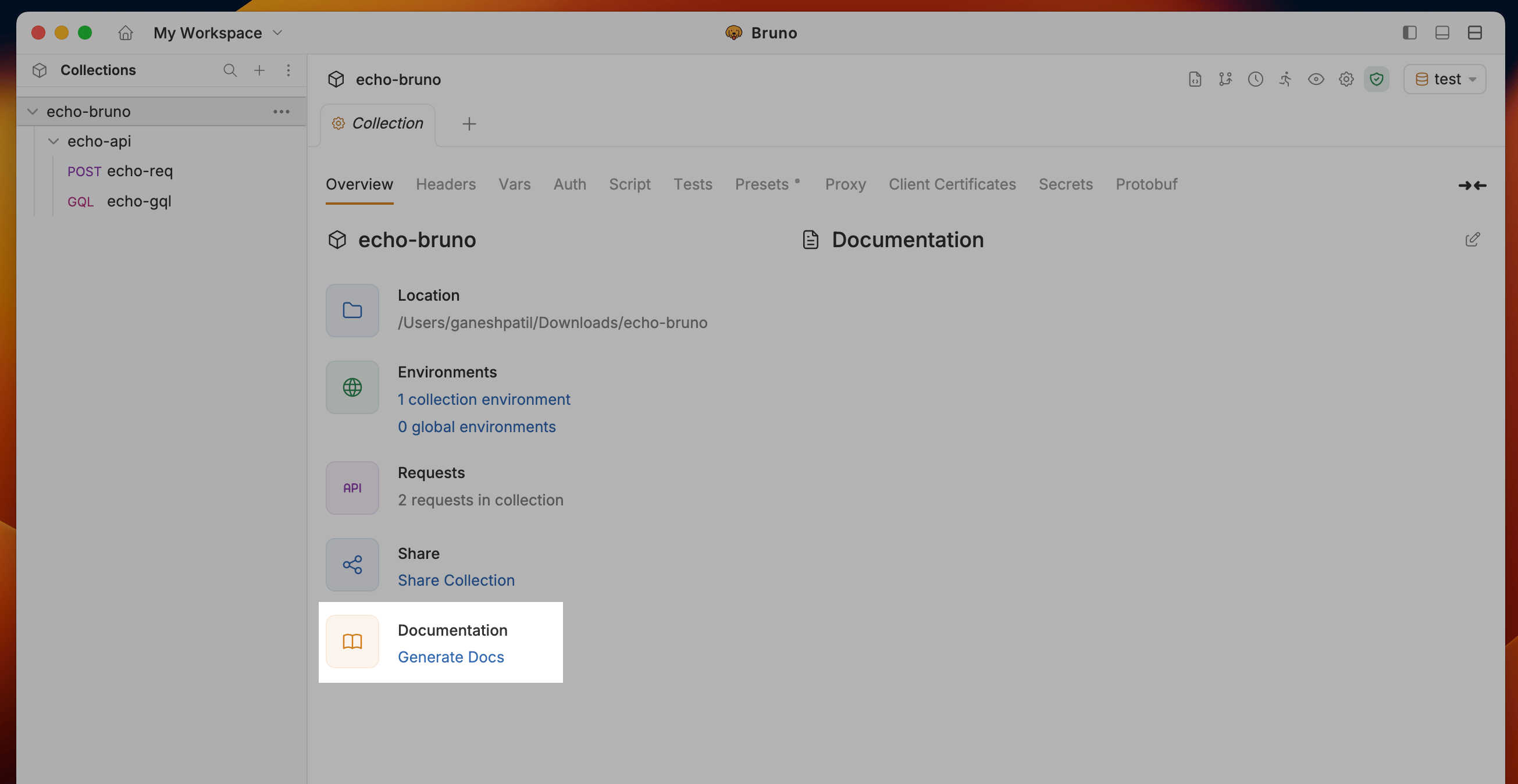
1. Navigate to the Collection Settings and click on the **Generate Docs** under Documentation section
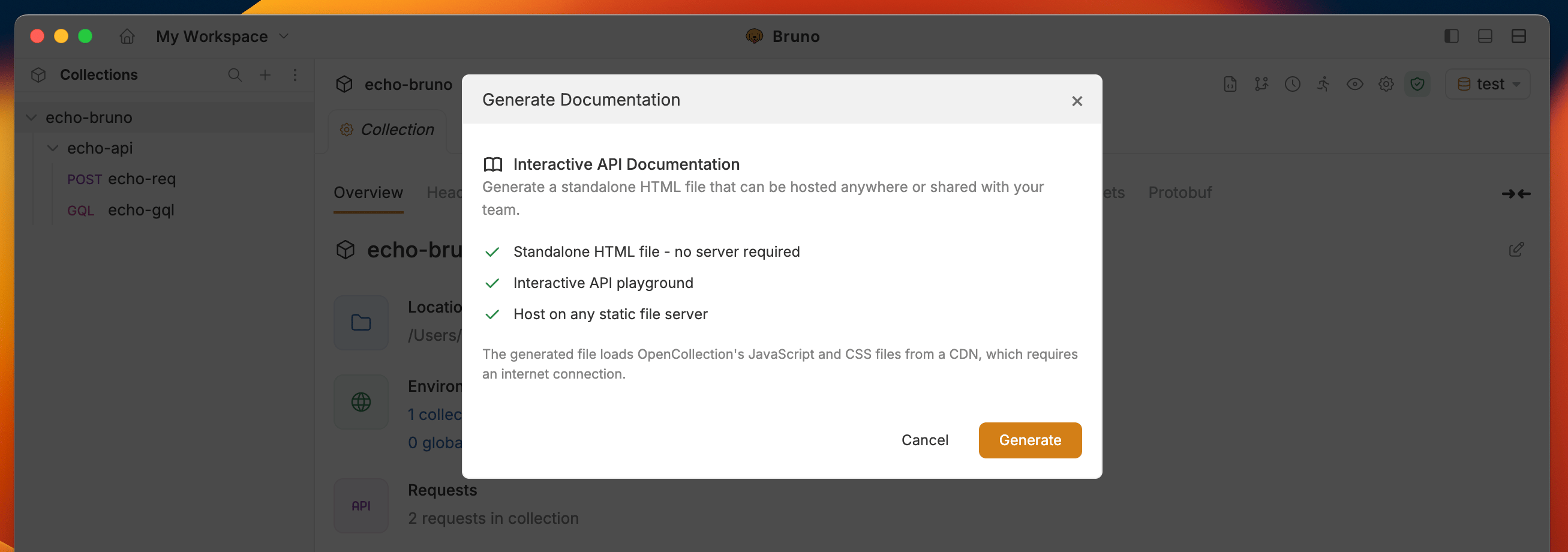
 2. Click the **Generate** button to create the HTML documentation
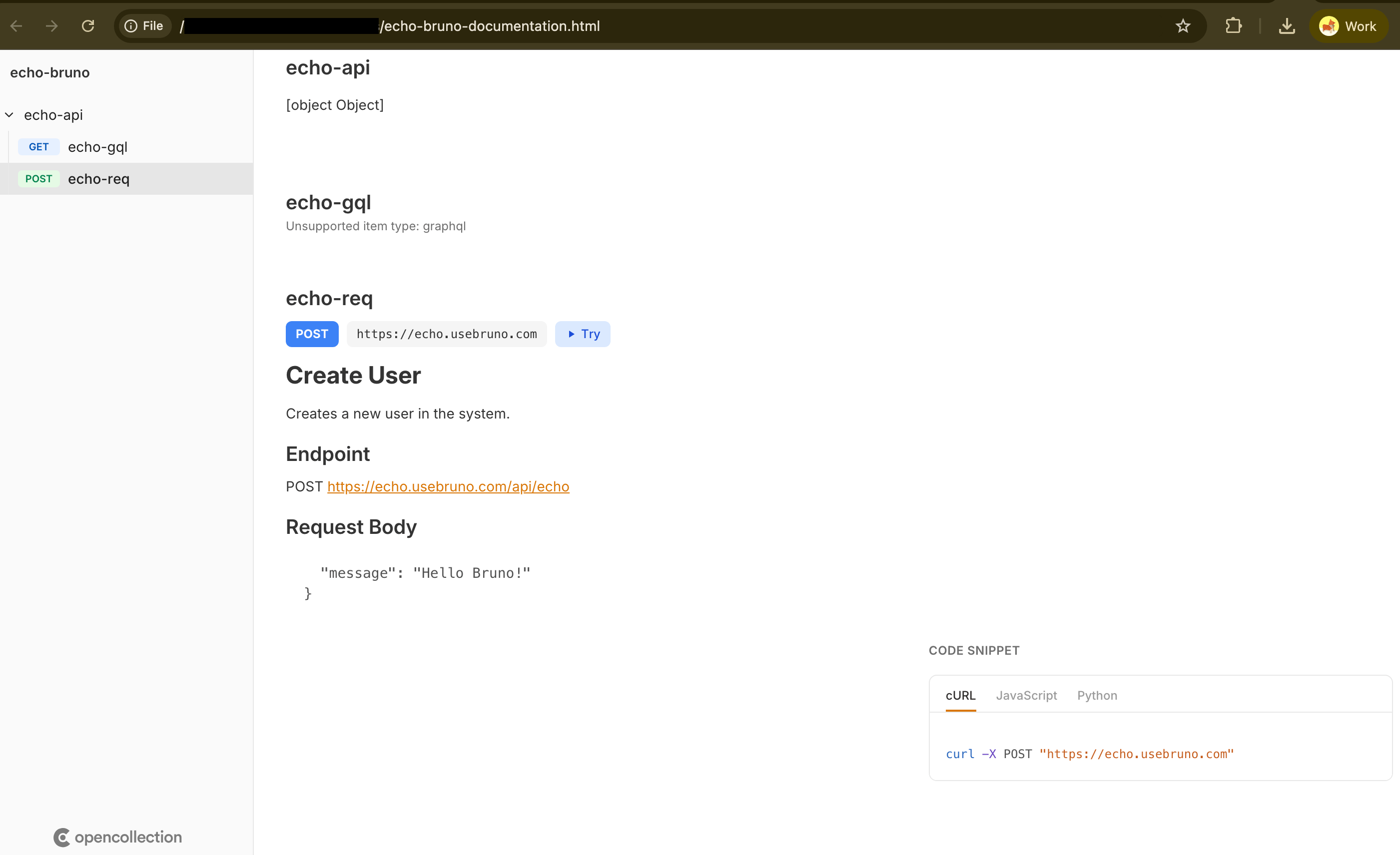
 3. Bruno will generate a HTML documentation file for your collection documentation
 ## Key Features
### Auto-Generated Docs from Bruno Collections
* **Support for .bru files** and Bruno collection structure
* **Render nested folders** with requests, environment variables, and metadata
* **Sample requests/responses** and script previews included
* **Environment support** for different configurations
### Code Samples
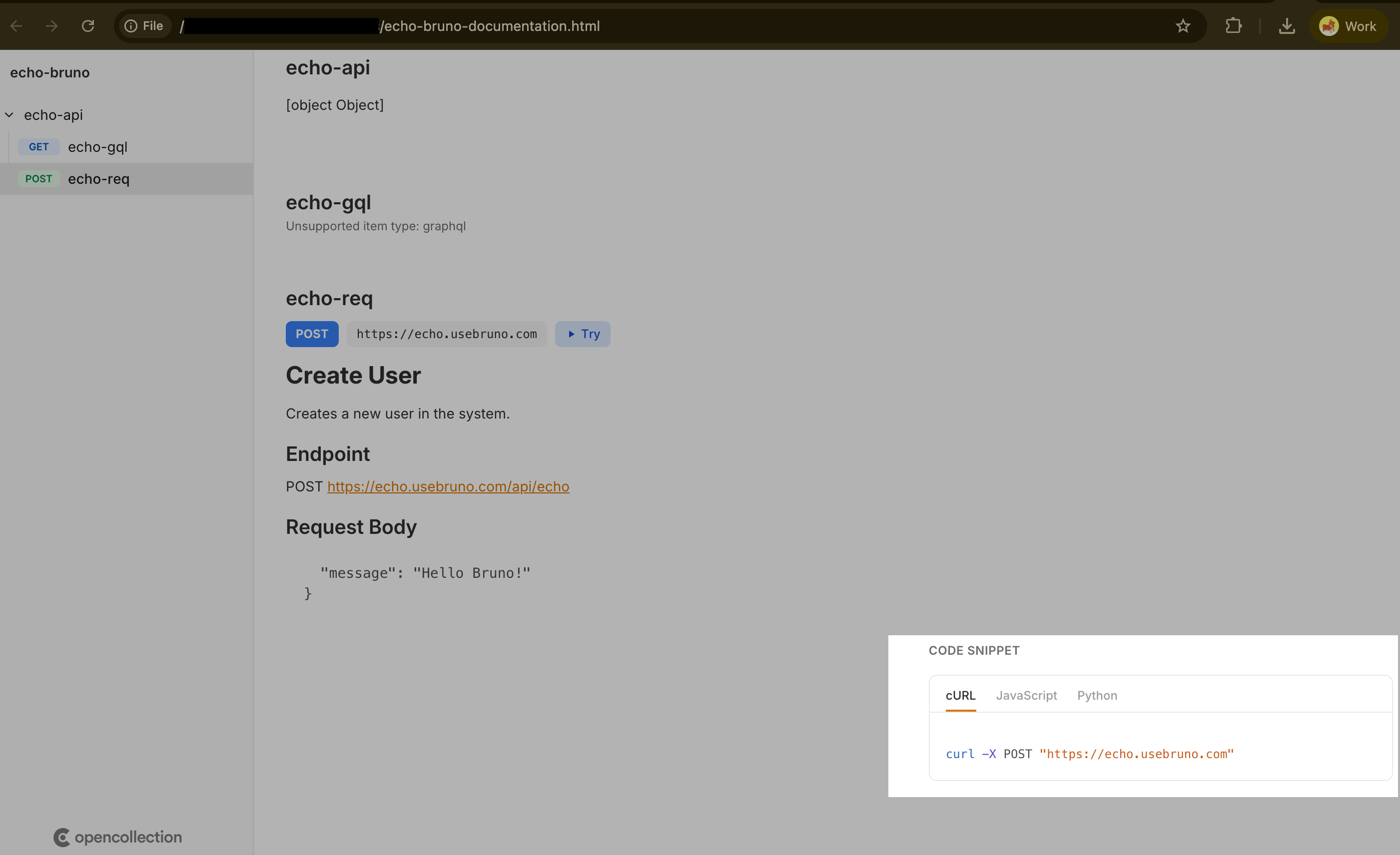
The documentation automatically generates code snippets for each request in multiple languages:
* cURL
* Python (requests)
* JavaScript
## Key Features
### Auto-Generated Docs from Bruno Collections
* **Support for .bru files** and Bruno collection structure
* **Render nested folders** with requests, environment variables, and metadata
* **Sample requests/responses** and script previews included
* **Environment support** for different configurations
### Code Samples
The documentation automatically generates code snippets for each request in multiple languages:
* cURL
* Python (requests)
* JavaScript
 ### Tests and Scripts Display
* Show **pre-request scripts** inline for each request
* Display **post-response scripts** and test logic
* View **test assertions** directly in the documentation
### Tests and Scripts Display
* Show **pre-request scripts** inline for each request
* Display **post-response scripts** and test logic
* View **test assertions** directly in the documentation
 ### Try It Out Playground
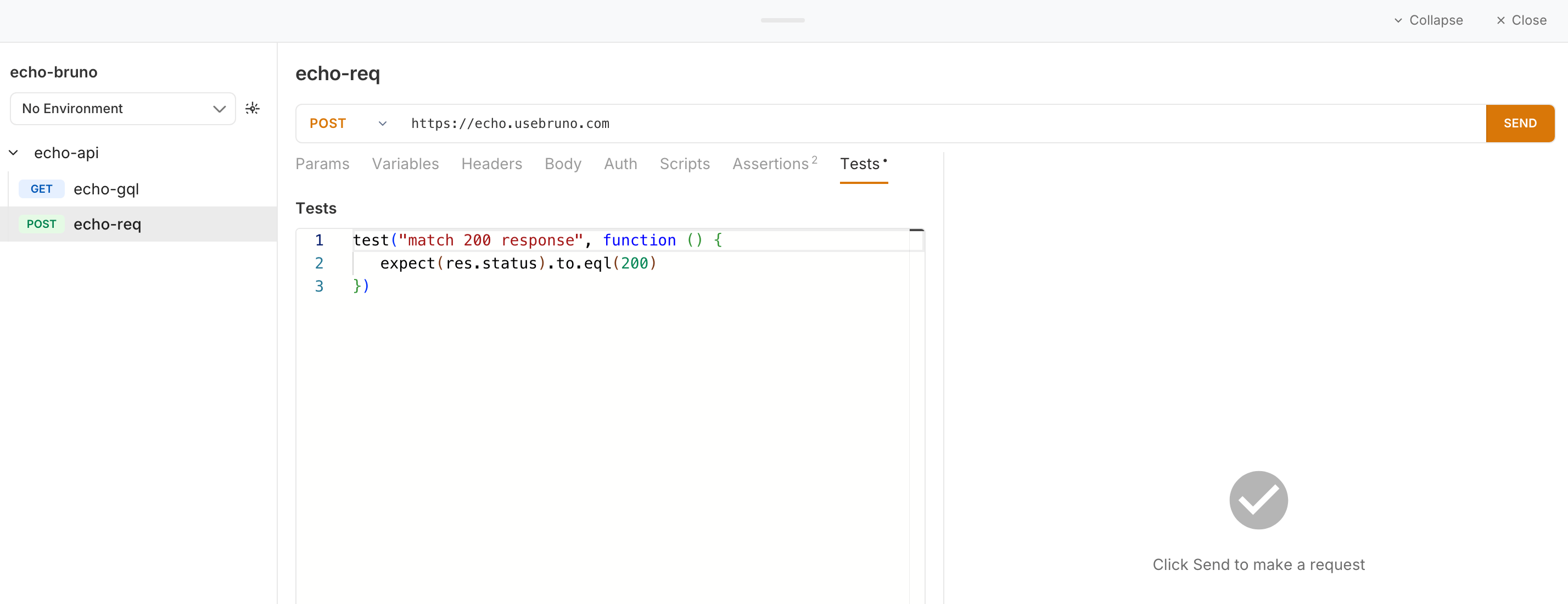
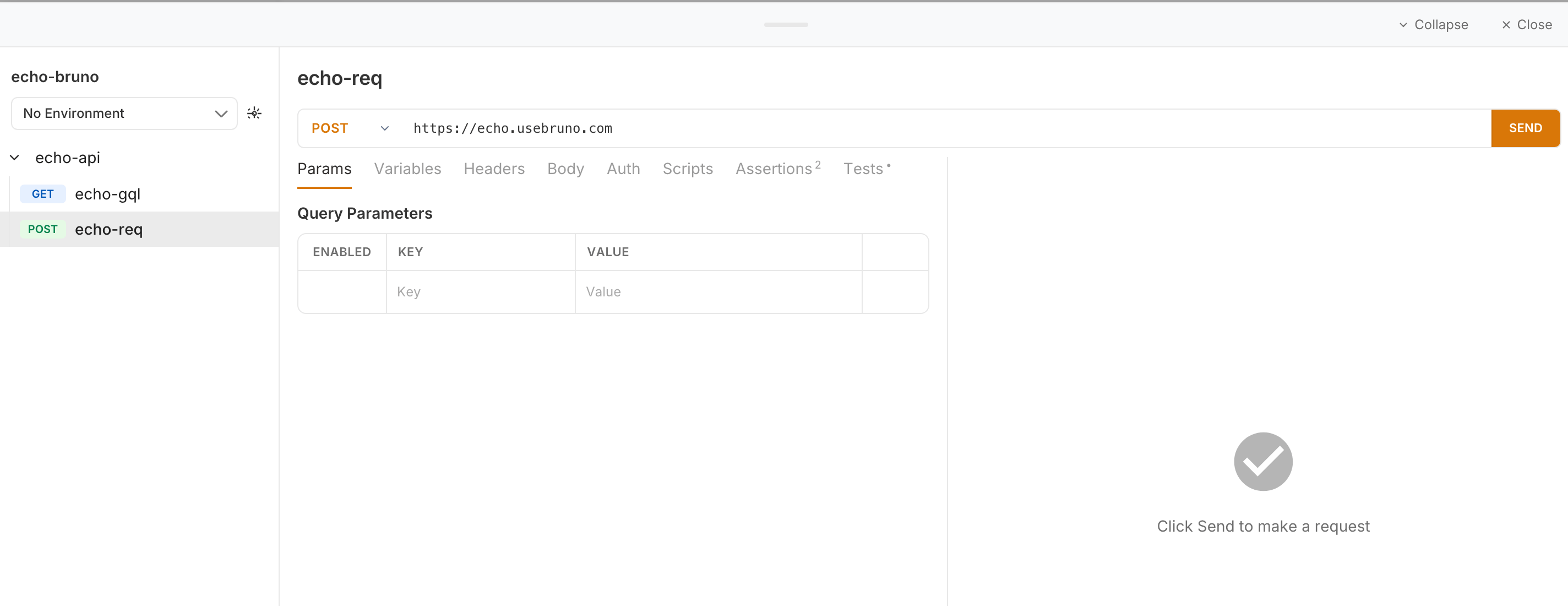
Interactive playground that allows users to:
* Edit request parameters, headers, and body
* Modify and test scripts in real-time
* Execute requests live directly from the documentation
* View responses immediately
### Try It Out Playground
Interactive playground that allows users to:
* Edit request parameters, headers, and body
* Modify and test scripts in real-time
* Execute requests live directly from the documentation
* View responses immediately
 ## Deployment Options
Once generated, you can:
1. **Open locally**: View the HTML file in any browser
2. **Static hosting**: Deploy to GitHub Pages, Netlify, Vercel, or any static host
3. **Share directly**: Send the HTML file to team members or API consumers
4. **Documentation portal**: Add to your developer portal or docs site
## Deployment Options
Once generated, you can:
1. **Open locally**: View the HTML file in any browser
2. **Static hosting**: Deploy to GitHub Pages, Netlify, Vercel, or any static host
3. **Share directly**: Send the HTML file to team members or API consumers
4. **Documentation portal**: Add to your developer portal or docs site